Available from 2 sellers
Businesses move money in and out every single day, customers make payments, and companies settle dues with suppliers. This flow of cash keeps everything running, much like circulation keeps the human body alive. To manage this flow properly, businesses rely on two essential documents: invoices and bills.
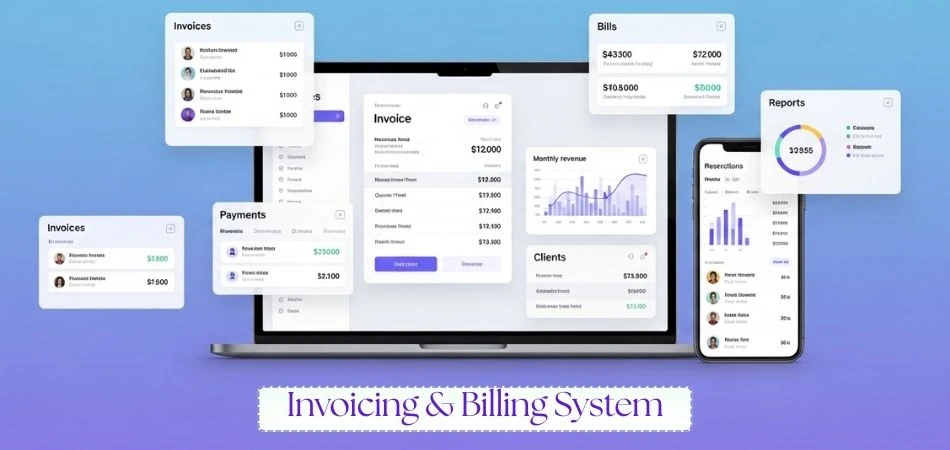
The Invoicing & Billing System is a streamlined solution designed to simplify how businesses create invoices, manage bills, track payments, and monitor financial activity. It brings all customer, product, billing, and payment processes into one organized platform to ensure faster collections and better cash-flow control.
| Feature | Available |
| Recurring Invoices | Yes |
| Custom Invoice Templates | Yes |
| Tax & VAT Automation | Yes |
| Automated Payment Reminders | Yes |
| Quotation / Estimate Creation | Yes |
| Client Management | Yes |
| Product & Services Catalog | Yes |
| Inventory Tracking | Yes |
| Online Payment Options | Yes |
| Credit Note Management | Yes |
| User Roles & Permissions | Yes |
| Activity Logs | Yes |
| Sales & Financial Reporting | Yes |
| Stock Alerts | Yes |
| Payment Follow-Up Tools | Yes |
Description
A modern invoicing and billing system is much more than a tool for creating invoices. Advanced platforms integrate billing capabilities that allow businesses to track expenses, monitor vendor payments, and manage billable work hours, all within a single, organized interface. This centralized approach gives companies a clear view of what they owe and what they are owed, ensuring smoother financial management and more accurate records.
By automating repetitive tasks and streamlining routine processes, these systems help businesses save time, reduce errors, and improve cash flow. With real-time insights into incoming and outgoing payments, companies can make smarter financial decisions, operate more efficiently, and maintain greater control over their finances.

For regular customers or subscription-based services, recurring invoice automation allows invoices to be generated automatically at predetermined intervals. This reduces manual work, ensures consistency, and saves time for both the business and the client.

Modern invoicing systems offer a variety of pre-built templates. Users can customize layouts, logos, fonts, and colors to match their branding. This flexibility ensures invoices not only convey information accurately but also maintain a professional appearance.

An invoicing system calculates applicable taxes automatically. It ensures the correct VAT or tax rate is applied based on the product or service, reducing errors and compliance issues during tax filing.

Cash flow is critical for business survival. Automated reminders notify clients of upcoming, due, or overdue invoices. For example, a system can send a reminder five days before the payment is due, helping reduce late payments.

Businesses can generate professional quotations quickly. Once a client approves a quote, the system can convert it seamlessly into an invoice, avoiding duplication of effort and reducing errors.

Every action in the invoicing system is logged. This includes modifications, approvals, and deletions, along with timestamps and the responsible user. This transparency improves accountability and simplifies auditing.

When a client returns goods or requests a refund, the invoicing system can issue a credit note. This maintains accurate financial records and ensures customers receive acknowledgment of the transaction.

A robust client database stores detailed information, including names, addresses, emails, phone numbers, and transaction history. This enables efficient communication, invoice generation, and tracking of customer interactions.

The system allows businesses to maintain a comprehensive catalog of products and services, including pricing, units, and descriptions. This ensures accuracy when generating invoices and quotes and supports consistency in product offerings.

Integrated stock management tracks inventory levels, records purchases, and alerts users when stock is low. This prevents shortages, supports timely replenishment, and allows for better planning of sales and procurement.

Cloud-based invoicing systems can include payment links in invoices, enabling clients to pay online via credit/debit cards, digital wallets, or bank transfers. This accelerates payment collection and simplifies reconciliation.

The invoicing system generates detailed reports, providing insight into sales, client transactions, stock levels, and overall financial performance. Common reports include:

Role-Based Access Control (RBAC) ensures employees access only the information and tools relevant to their responsibilities. For example, sales staff may create invoices, while management can approve them and access financial reports.

By analyzing invoice data, businesses can identify trends, such as the most popular products or services, peak sales periods, and customer preferences. These insights support strategic decision-making.

Automated reminders and payment tracking help businesses maintain healthy cash flow. The system can schedule follow-ups based on due dates and generate recurring payment schedules for regular clients.
An invoicing system simplifies billing processes and ensures accurate financial records. While each business has unique requirements, most follow similar steps for invoice processing:
Creating Invoice Templates
Invoice templates should include:
Invoice Approval
Some invoices require higher-level authorization before being sent. The system can route invoices to supervisors for approval, ensuring compliance with internal policies.
Sending Invoices
Invoices can be sent digitally via email, PDF, or other formats. Cloud-based systems enable sending multiple invoices to multiple clients simultaneously.
Processing Payments
Handling Payment Status
Maintain a detailed client database including names, addresses, phone numbers, and emails. This allows for efficient invoice generation, personalized communication, and accurate reporting.
Maintain a catalog of all offerings with pricing, descriptions, and units. This simplifies quotation and invoice generation and ensures consistency across transactions.
Track stock levels, create purchase orders, and update inventory upon receiving goods. The system provides low-stock alerts, helping avoid shortages and ensuring smooth operations.
Generate comprehensive reports to monitor cash flow, outstanding invoices, stock levels, and sales performance. Use these insights to make informed decisions, improve efficiency, and identify growth opportunities.
| Context | Invoice | Bill |
| Document Type | A payment request issued to customers | A document received when the business must pay |
| Order Number | Contains a unique invoice number | Unique number not mandatory |
| Transaction Type | Used for credit-based transactions | Used for immediate payment |
| Purpose |
Useful for customer analysis & financial reporting |
Serves as proof of payment made |
| Information Included | Detailed list: items, prices, quantities, addresses | Minimal details required |
It helps businesses create invoices, track payments, manage bills, and organize financial records efficiently.
Yes. It supports recurring invoices and scheduled billing for regular customers.
Yes. Tax rules can be configured, and the system automatically applies them to each invoice.
Absolutely. The system sends reminders and displays unpaid or overdue invoices in the dashboard.
Yes. Stock levels update when items are sold or received, and alerts are triggered for low-quantity items.
Yes. The system provides online payment links for faster and easier transactions.
Yes. You can issue credit notes for adjustments, returns, or corrections.
Yes. Roles and permissions ensure each user accesses only what they need.
Yes. You can view sales, payments, outstanding balances, and inventory-related reports.
Definitely. It’s designed to be simple, scalable, and efficient for businesses of any size.
Be the first to ask a question about this product!