In Bangladesh Desktop price starts from BDT 1,000 and may go up to BDT 50,000 based on brand and features. Buy latest Desktop at best price from popular online shops in Bangladesh.
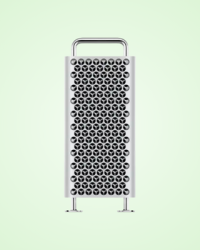
Apple Mac Pro M2 Ultra Tower Desktop একটি আল্ট্রা-হাই
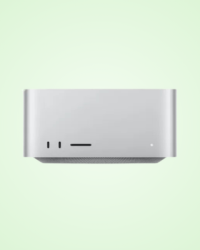
Apple Inc. এর Apple Mac Studio M3 Ultra একটি আল্ট্রা-পাওয়ারফুল
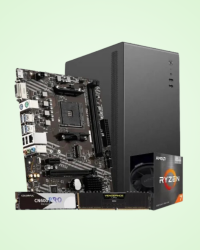
AMD Ryzen 7 5700G Custom Desktop PC হলো একটি হাই-পারফরম্যান্স
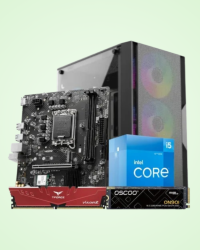
Intel 12th Gen Core i5-12400 Desktop PC হলো একটি শক্তিশালী
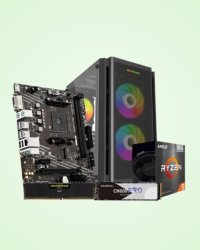
AMD Ryzen 5 5600GT Budget Desktop PC হলো একটি শক্তিশালী
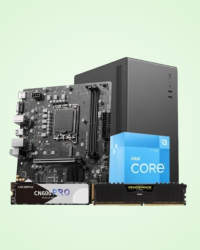
Intel Core i3-12100 12th Gen Budget Desktop PC হলো একটি আধুনিক,

Intel Core i7 14700K 14th Gen Gaming Desktop PC - 16GB DDR5 RAM 1TB NVMe SSD RTX

AMD Ryzen 5 7500F Desktop PC - 16GB DDR5 RAM 1TB NVMe SSD RTX 3050 GPU একটি

Intel Core Ultra 5 245K Desktop PC হলো একটি হাই-পারফরম্যান্স

Apple Mac Mini M4 হলো একটি কম্প্যাক্ট yet শক্তিশালী
The HP 280 Pro G9 MT is a reliable desktop PC designed for both home and office use.
A desktop computer remains one of the most reliable, efficient, and future-proof choices for personal and professional computing. Even as laptops, tablets, and mobile devices evolve rapidly, desktops continue to dominate when it comes to sustained performance, long-term durability, and unmatched upgrade options. For office work, official documentation, academic tasks, graphic design, video editing, and even entertainment, a desktop still offers the perfect balance of strength and stability.
In Bangladesh, the demand for desktop PCs continues to grow as people look for powerful, stable, and long-lasting computing solutions. The local tech market offers a wide range of desktop configurations - from budget-friendly setups to high-end gaming rigs and professional workstations.
A desktop PC is a personal computer designed to be used in a fixed place, such as a desk or workstation. Unlike laptops, desktops consist of separate components, making them easy to upgrade or replace when needed. Though not portable, they deliver superior performance and customization, which is why many users prefer them.
Personal computers originated from the microcomputer revolution of the 1980s. The term “Personal Computer” was popularized by IBM in 1981. With rapid improvements in microprocessors, computers that were once limited to technical and industrial use gradually became accessible to the general public.
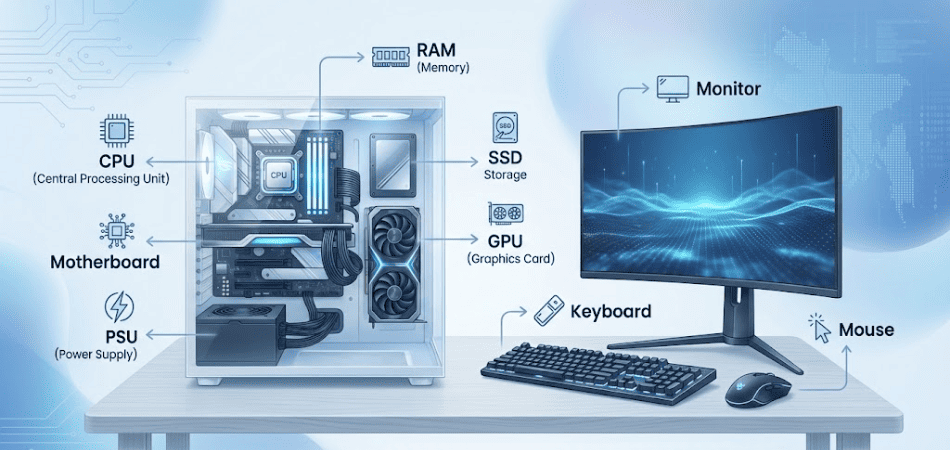
A desktop PC operates through the combined functionality of several components:
Different types of desktop PC are available depending on a user’s needs, budget, and workload:
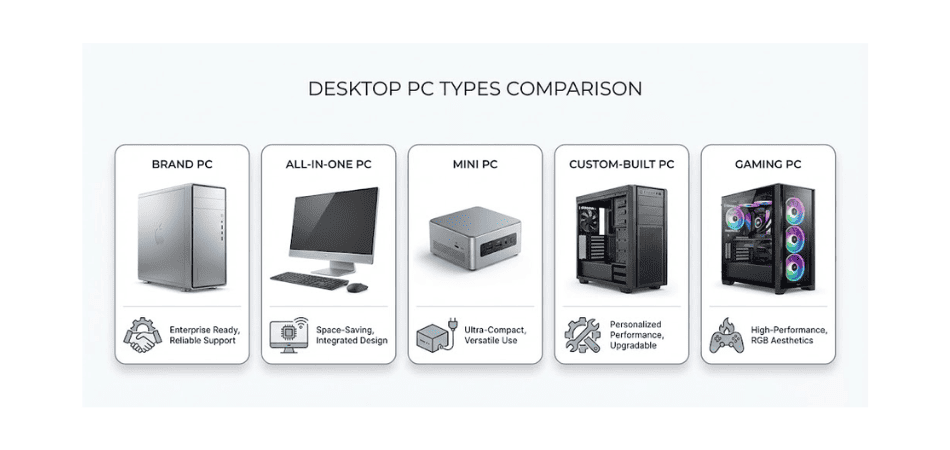
These are fully assembled systems made by manufacturers such as HP, Dell, Lenovo, Asus, Acer, MSI, and Apple. They are ideal for those who want a ready-to-use, hassle-free solution with official warranty and after-sales service. However, their upgrade flexibility is more limited compared to custom-built PCs.
All components are integrated behind the monitor, reducing the need for extra space and cables. AIO PCs are excellent for offices, reception areas, and environments where a neat and minimal setup is preferred.
These compact devices take up very little space and are easy to carry. They’re great for small offices, home theaters, and everyday computing tasks. Brands like Zotac and Asus offer powerful mini PCs suitable even for professional use.
Users can choose each component manually - processor, motherboard, RAM, storage, graphics card, casing, and more. This type is ideal for gaming, designing, video editing, and heavy workloads. Custom PCs offer the best performance-to-price ratio and excellent upgrade flexibility.
These are high-performance desktops built with powerful processors, dedicated GPUs, fast RAM, and SSD storage. They are optimized for gaming but also perfect for 3D modeling, streaming, and creative work.
বাজেটের মধ্যে সেরা ডেস্কটপ পিসি
|
Factor |
Desktop Advantage |
Why It Matters |
|
Performance |
Higher processing power, stronger graphics support |
Ideal for gaming, editing, multitasking, and heavy workloads |
|
Upgrade Options |
Easy to upgrade RAM, GPU, SSD/HDD, cooling, and PSU |
Extends device lifespan and boosts future performance |
|
Cost-Efficiency |
More performance for the same price |
Better long-term value compared to laptops |
|
Durability |
Longer lifespan with better component structure |
Less wear-and-tear, fewer heat-related issues |
|
Ergonomics |
Works with full-sized monitor, keyboard, and mouse |
More comfort for productivity and long-hour use |
|
Cooling & Stability |
Superior airflow and cooling systems |
Stable performance during intensive tasks or extended use |
Buying a desktop computer involves more than checking the price tag - you need to balance performance, durability, upgrade flexibility, and long-term value. Below are the key factors every buyer should consider before making a purchase.
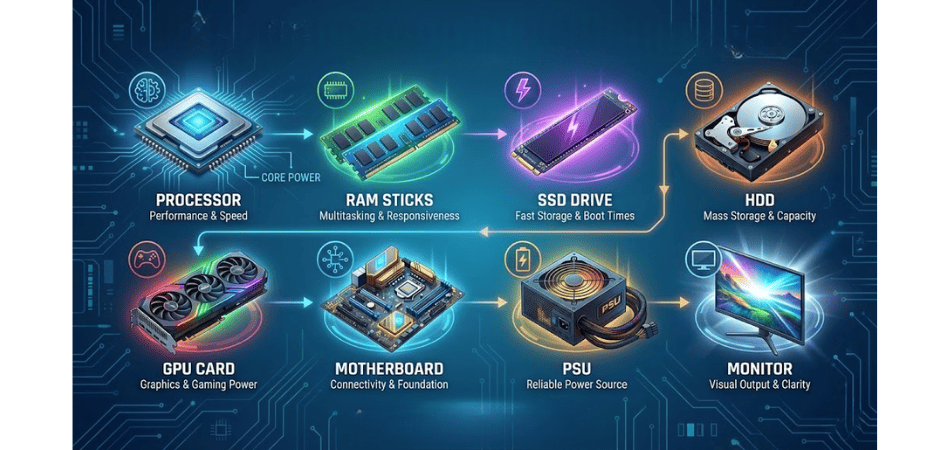
Start by defining what you’ll use the computer for. If your primary tasks include browsing, office applications, or study work, an entry-level setup will be enough. However, if you plan to play modern games, design graphics, edit videos, or run heavy software, you’ll need a more powerful configuration with a stronger processor and graphics card.
The processor determines how fast and efficiently your PC handles tasks. For everyday use, a processor like Intel Core i3 or AMD Ryzen 3 is sufficient. But for multitasking, professional work, programming, or creative production, choosing a faster CPU such as Intel Core i5/i7 or AMD Ryzen 5/7 will deliver noticeably better performance.
RAM plays a major role in smooth multitasking. Basic users can work comfortably with 8GB of RAM, while gamers, designers, and heavy software users should opt for 16GB or more to avoid slowdowns during complex tasks.
Storage determines how much data your computer can hold and how quickly it loads. An SSD dramatically improves boot time and overall system speed, so it’s wise to choose at least a 256GB SSD as the primary drive. If you need large storage for files, you can add a 1TB HDD alongside the SSD.
The GPU impacts visual performance and is crucial for gaming, video editing, 3D modeling, and animation. For casual use, integrated graphics are enough. But if you want smooth gameplay or professional-level creative work, you’ll need a dedicated graphics card such as an NVIDIA RTX or AMD Radeon series.
Your motherboard determines the system’s compatibility and future expandability. Always choose a board that matches your processor and RAM type. It’s also beneficial to select a model with additional slots so you can upgrade storage, RAM, or graphics cards later.
A high-quality power supply ensures that your system runs safely and reliably. For most builds, a 450W to 650W PSU is ideal. Avoid generic or low-quality power supplies, as they can reduce performance, cause system instability, or even damage components over time.
The monitor you choose affects your viewing experience more than you might think. For everyday tasks, a 21–24 inch Full HD monitor is a practical choice. For gaming or design work, look for an IPS display with better color accuracy and a refresh rate of 144Hz or higher.
A good desktop should allow you to upgrade over time. Check if the PC has extra RAM slots, M.2 or PCIe expansion options, and enough space to install additional storage or a more powerful graphics card in the future.
Before making a final decision, take time to read product ratings, customer reviews, and long-term user feedback. Insights from real buyers can help you identify reliable models, avoid known issues, and choose a system with confidence.
Best Computers & Laptop Shops In Bangladesh
Desktops offer unmatched flexibility because almost every major component can be upgraded over time. As your needs grow, you can increase the RAM to handle heavier multitasking, add a faster SSD to boost overall system responsiveness, or install a more powerful graphics card for modern gaming, design, or content creation. Even the power supply and cooling systems can be improved to support advanced hardware, ensuring the system stays stable under demanding workloads. This ability to evolve makes a desktop PC a long-lasting investment that can adapt to new technologies and changing user requirements.
A well-chosen desktop creates a foundation that grows with you. It delivers the kind of performance, stability, and efficiency that busy professionals, passionate creators, competitive gamers, and everyday users can all rely on. With the freedom to upgrade, fine-tune, and customize every part of the system, a desktop becomes a workstation that stays relevant not for months, but for years. Whether you want smoother workflows, immersive entertainment, or a reliable setup for your daily tasks, the desktops featured in this category provide the strength and flexibility to support your goals today and far into the future.