In Bangladesh Software price starts from BDT 999 and may go up to BDT 55,000 based on brand and features. Buy latest Software at best price from popular online shops in Bangladesh.
## Avast SecureLine VPN – 1 Year / 10 Devices Protect your online privacy
ESET Home Security Essential 1 User 3 Device (1 Year) (Digital) Protect your digital
Adobe Acrobat Standard DC – Complete PDF Solution Experience the complete

Wondershare Filmora 13 Video Editor Lifetime License for Mac Unleash your creativity
Sectigo EnterpriseSSL is a high-assurance SSL certificate designed for organizations
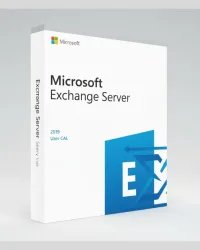
This powerful server-ready solution is designed for businesses that need secure,

Windows Server 2016 Standard | Secure and Reliable Server OS Windows Server 2016
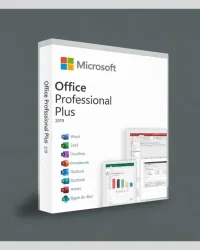
Microsoft Office 2019 Professional Plus is the ultimate productivity suite for professionals,
Avast SecureLine VPN – Private, Fast & Secure Protection (5 Devices) Avast
Bitdefender Premium VPN – Ultra-Fast & Secure Privacy Protection Bitdefender

Kaspersky Standard – 3 User 1 Year License (PC, Mac and Mobile Protection) Protect

The Ultimate File Compression and Extraction Tool - WinRAR WinRAR is robust and

Folx 5 Pro is a powerful and elegant download manager for macOS designed with a true
EdrawMax – The Complete Diagramming and Charting Solution EdrawMax is a comprehensive,
Best Screen Recorder and Video Editor for MAC - EaseUS RecExperts EaseUS RecExperts

Secure, Fast and Easy iOS Data Transfer Software - MobiMover for Mac EaseUS MobiMover

Lifetime Complete Data Backup and Recovery Solution - EaseUS Todo Backup Home Never

Improve Your Typing Speed and Accuracy – Typing Master 11 Pro Boost
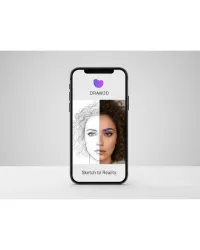
Unleash your creativity with Draw3D, the ultimate AI-powered sketch-to-art generator.

Remove iPhone Passcode, Face ID and Screen Lock - iToolab UnlockGo (iOS) iToolab
Software has become the invisible engine that powers almost every aspect of our lives. From writing a simple email to managing billion-dollar enterprises, software is what makes computers, smartphones, and digital systems functional and intelligent.
But with thousands of software options on the market from productivity tools and design applications to cloud platforms and antivirus programs choosing the right one can be overwhelming. More importantly, buying software without understanding its purpose, licensing model, or compatibility can lead to wasted money, poor performance, and even security risks.
At its simplest, software is a collection of programs and instructions that tell a computer what to do. While hardware refers to the physical components (like your computer’s monitor, keyboard, or hard drive), software is the non-physical part, the logic and intelligence that makes hardware useful.
For example:
Without software, even the most powerful hardware would be just a lifeless box of electronic parts.
Software can be divided into several broad categories based on its purpose and functionality. Understanding these types helps you make informed decisions when selecting or buying one.
System software manages and controls computer hardware, making it possible for application software to run.
Examples:
Purpose:
Without system software, your computer cannot function. It’s the foundation upon which all other programs operate.
Application software is what users interact with directly to perform specific tasks.
Examples:
Purpose:
These programs help users accomplish work such as writing documents, editing photos, designing buildings, or browsing the internet.
Utility software helps maintain, analyze, and optimize computer performance.
Examples:
Purpose:
They keep your computer safe, clean, and efficient.
Server software provides services to other computers or clients over a network.
Examples:
Purpose:
Used mainly by businesses and organizations to host websites, manage data, and enable communication systems.
Also known as Software as a Service (SaaS), this type of software is hosted online and accessed through the internet rather than installed locally.
Examples:
Purpose:
Cloud-based software reduces the need for hardware resources, enables remote access, and provides regular automatic updates.
Before purchasing, it’s important to understand how software is distributed and licensed.
These are programs you can use without paying.
Examples:
|
Pros |
Cons |
|
Free to use |
May lack professional support |
|
Community-driven updates |
Slower updates or bug fixes |
|
Often customizable |
Security risks if downloaded from unverified sources |
These require you to buy a license for legal use.
Examples:
|
Pros |
Cons |
|
Reliable and well-supported |
Higher cost |
|
Frequent updates and security patches |
Some require subscriptions or renewal fees |
|
Legal protection and warranty |
While pirated or cracked software may seem tempting due to its “free” price tag, it carries significant dangers that far outweigh any short-term savings:
To protect your devices, data, and peace of mind, always purchase software from official vendors or authorized resellers. The short-term “savings” from pirated copies are never worth the long-term risks.
Whether you’re purchasing software for personal use, professional work, or your business, choosing the right solution requires careful consideration. Here’s a detailed guide to help you make informed decisions and avoid costly mistakes.
Before anything else, clarify why you need the software. Ask yourself:
Example:
A freelance graphic designer may need Adobe Photoshop, while an architect will require AutoDesk AutoCAD or Revit. Selecting the wrong software wastes both time and money, so define your requirements clearly before buying.
Every software comes with minimum hardware and operating system requirements. Running software on an underpowered device can lead to slow performance, crashes, or incompatibility issues.
Checklist:
Example:
AutoDesk AutoCAD demands a high-performance computer with sufficient RAM and GPU. Installing it on a low-end machine can result in lagging, crashes, or lost work.
Licenses define how you can legally use software. Choosing the right license ensures compliance and prevents legal issues.
|
License Type |
Description |
|
Single-User License |
One user, one device |
|
Multi-User / Volume License |
Teams or organizations |
|
Subscription License |
Monthly or yearly payment; usually includes updates |
|
Perpetual License |
One-time purchase, valid indefinitely (may not include free updates) |
Businesses should verify if their license covers multiple devices or users to avoid penalties or workflow disruptions.
With cyber threats on the rise, security should be a top priority. Check if the software:
Example:
Cloud storage platforms and email clients should provide end-to-end encryption to safeguard your data. Investing in secure software is far cheaper than dealing with a data breach later.
Not all software providers are equally trustworthy. A reputable developer ensures quality, updates, and reliable support.
Look for:
Example:
Vendors like Microsoft, Adobe, and AutoDesk provide verified updates, robust customer support, and product warranties factors critical for long-term reliability.
Good software evolves. Regular updates fix bugs, patch security vulnerabilities, and introduce new features.
Before purchasing, ask:
Avoid software that hasn’t been updated in years, it may lack essential security patches or modern features.
The lowest-priced software isn’t always the best, and the most expensive isn’t always worth it. Evaluate features, support, and total cost of ownership (TCO) rather than just upfront cost.
Example:
Choose based on functionality and workflow needs, not just price.
A great software solution should feel intuitive and improve your productivity. Check if:
Many premium software providers offer trial versions and take advantage of these to ensure it fits your workflow before making a full commitment.
Buying software is more than picking the cheapest or most popular option. By understanding your needs, verifying system requirements, checking security, and evaluating vendor credibility, you ensure that your investment will be productive, secure, and long-lasting. Thoughtful decision-making now saves time, money, and frustration in the long run.
Even experienced users often make simple mistakes that lead to frustration or financial loss.
Here are some pitfalls to avoid:
Avoid these traps to save yourself from headaches and hidden costs later.
When purchasing software from a third-party seller or distributor, ensuring the vendor is officially authorized and trustworthy is crucial. Here are key steps to help you choose a reliable software provider in Bangladesh:
Make sure the vendor is an “Authorized Reseller” or “Official Partner” of the software brand. This guarantees that you receive genuine products, valid licenses, and access to official updates. Always verify certification on the vendor’s website or with the software manufacturer.
A reputable vendor will have clear and verifiable contact details, including:
Avoid vendors with vague or incomplete contact information.
Be cautious if the price seems too low for premium software it could indicate pirated or unauthorized copies. Authentic vendors provide transparent pricing and clearly outline what’s included in the license, subscription, or bundle.
Reliable vendors offer more than just the software purchase. Check whether they provide:
After-sales support ensures your software works smoothly over time.
Research user feedback on independent platforms such as Bipony, Google Reviews, or local tech forums. Genuine reviews reveal:
Positive testimonials and long-term customer trust are strong indicators of a dependable vendor.
Buying software in Bangladesh requires caution and diligence. Choosing an authorized, transparent, and customer-focused vendor ensures you receive genuine software, proper support, and peace of mind. Avoid shortcuts, the small extra effort today can prevent major headaches tomorrow.
Here’s a look at some of the most widely used software categories and examples - relevant for both individuals and businesses:
|
Category |
Popular Examples |
Purpose |
|
Operating System |
Windows, Ubuntu |
Core system for computers |
|
Office Application |
Microsoft Office, WPS Office |
Productivity and documentation |
|
Antivirus |
Kaspersky, ESET, Bitdefender |
Protects against malware and viruses |
|
Graphic Design |
Adobe Photoshop, Illustrator |
Creative design and editing |
|
Engineering / 3D Design |
AutoDesk AutoCAD, Revit |
Architecture and engineering design |
|
Cloud Solution |
Google Workspace, Microsoft 365 |
Online collaboration and storage |
|
Bangla Typing |
Bijoy, Avro Keyboard |
Typing in Bengali language |
|
Remote Access |
AnyDesk |
Remote desktop connection |
|
Virtualization |
VMware |
Virtual machine management |
The software industry is rapidly evolving, and the way we buy software is changing too.
More companies are moving from one-time licenses to subscription-based SaaS models, allowing users to pay monthly or annually for continuous access and updates.
Software powered by artificial intelligence is becoming the new norm automating tasks, improving user experience, and enabling smart analytics.
Modern users expect software to work seamlessly across devices desktop, mobile, and web.
As cyber threats grow, software buyers are prioritizing vendors that emphasize data protection and privacy compliance.
Software is an investment in efficiency, security, and innovation, so whether you’re purchasing an office suite, a design program, or enterprise cloud software, understanding your needs and how it works can save time and money. Define your purpose clearly, verify system compatibility, check licensing and renewal terms, research vendor credibility, prioritize data security, and always buy from authorized sources. In the digital world, your software defines your capability, so choose wisely, invest smartly, and let your technology work for you, not against you.